
Make a Payment
Make a payment to your SRFCU loans from any external account; as easy as a text message or online through our website or online banking.
MAKE A PAYMENT
Quick, Secure Loan Payments From Any Bank or Device
Pay your SRFCU loans the easy way—online, through online banking, or even by text message. You can make payments from any external account, including checking, savings, or debit card.


HOW IT WORKS
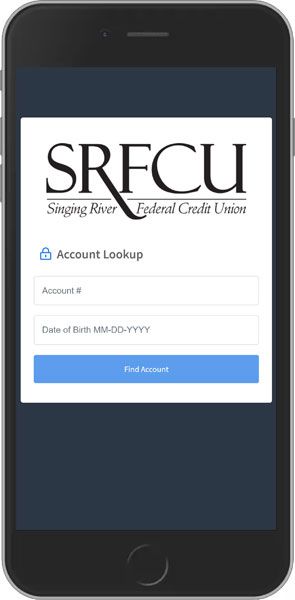
How to Make a Payment Through the SRFCU App
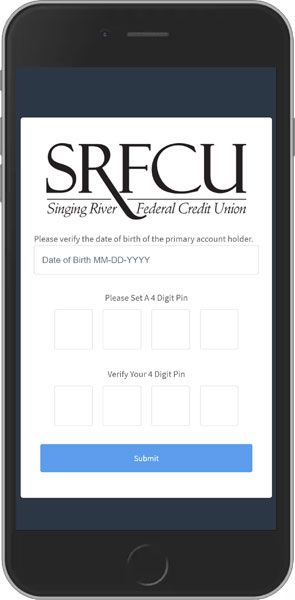
Verify your account with your account number and date of birth.
Create a 4-digit PIN (the first time you use the portal).
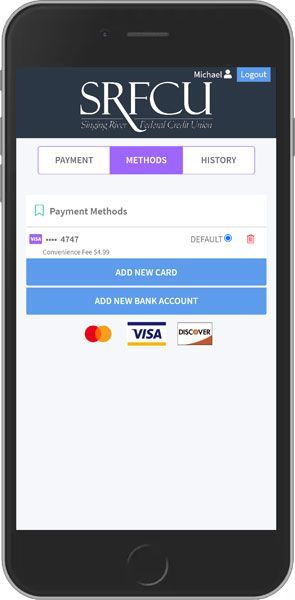
Add your preferred payment method (debit card or external bank account).
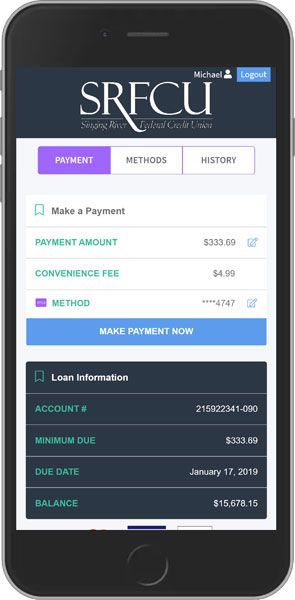
Select your loan and complete your payment.
ABOUT ONLINE PAYMENTS
What You Should Know
-
You may receive a text message with your payment amount and a link to our secure payment portal.
-
Review your payment options before submitting your payment.
-
To opt out of payment reminders by text, simply reply “Stop.”
-
All information is encrypted for your security.
WHAT TO EXPECT
Member Benefits
-
Pay your loans by text, website, or online banking.
-
Use an external checking account, savings account, or debit card.
-
Secure, encrypted portal keeps your information safe.

PAYMENT FAQ'S
Frequently Asked Questions
How can I pay via text message?
When you receive a text reminder, just reply “Pay.” You’ll be prompted for your PIN, and your payment will be processed. You’ll get a text confirmation once complete.
If I opt out of receiving text messages, can I still pay online?
Yes! You can always access the payment portal through our website, even if you don’t get text notifications.
Everything You Need to Get Started and Stay Connected
Find What You’re Looking For—Fast
Need help or have questions?
Contact us online or call (228) 475-9531 for friendly, local assistance.